See Every Change Before It Goes Live
Field-by-field diffs, side-by-side visual preview, and coordinated releases that publish multiple entries atomically — right inside the Craft CMS control panel.
Free & open-source for Craft CMS 5

In The Control Panel
Real screens from a Craft 5 install — four content releases, drafts batched behind each one.
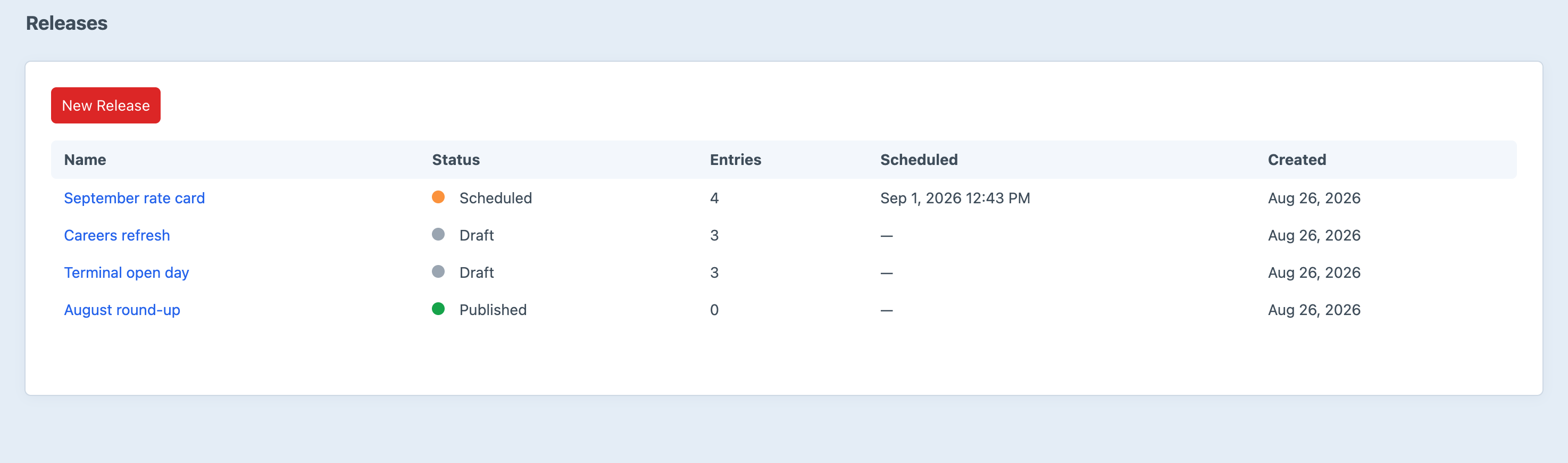
Screenshot from a live install, not a mockup.
Features
Give your editorial team confidence with visual diffs and coordinated releases.
Field-by-Field Diff
Compare every field between a draft and its live entry side by side, with syntax highlighting that makes each change obvious before you publish.
Visual Preview
A two-pane iframe preview shows live versus draft with synchronized scrolling, so you can see exactly how a change looks on the page — not just in the data.
Coordinated Releases
Group multiple drafts into a single release and publish them atomically — all or nothing — so related changes always go live together.
Scheduled Publishing
Set a future date and let Peek auto-publish your release via cron. Line up announcements and embargoed content without staying up to hit publish.
Editorial Dashboard
Get an at-a-glance overview of pending drafts, stale drafts, and active releases across the entire site, so nothing slips through the cracks.
Entry Sidebar
See the changed field count, a direct diff link, and release membership right inside the draft editor — the context you need without leaving the entry.
Frequently Asked Questions
Common questions about Peek.
Peek is a content staging plugin for Craft CMS 5. It gives editorial teams a field-by-field diff between a draft and its live entry, a side-by-side visual preview, and coordinated releases that publish multiple entries atomically — all from inside the control panel.
Peek is free and open-source. Install it via Composer and the Craft plugin system at no charge.
Open any draft entry and click the View Diff link in the sidebar. Peek shows every changed field side by side with syntax highlighting, so you can review exactly what changed before publishing.
A release groups multiple drafts together so they publish atomically — all or nothing. This keeps related changes across several entries in sync, instead of publishing them one at a time and risking a half-updated site.
Yes. Set a future date on a release and Peek will auto-publish it via cron. Add the scheduler cron job (see the Installation guide) and your embargoed content goes live on time.
The visual preview renders your live and draft URLs in a two-pane iframe with synchronized scrolling. Your site must allow framing — if you set X-Frame-Options or a restrictive frame-ancestors policy, the preview may be blocked. You can also disable it via the enableVisualPreview config setting.
Peek ships with seven granular permissions: Access Peek, View diffs, Manage releases, Publish releases, Schedule releases, Delete releases, and Manage Peek settings — and on top of them Craft’s own entry permissions decide which drafts each person can diff, add and publish. A release never publishes a draft its publisher couldn’t.
Peek requires Craft CMS 5.0 or later and PHP 8.2 or later. It works with both MySQL and PostgreSQL.
Ready to get started?
Install Peek in your Craft CMS project today.
Free & open-source for Craft CMS 5



